The Importance of Two-Factor Authentication
Discover the 2FA benefits and how it enhances your online security in India. Learn why two-factor authentication is crucial for protecting your accounts from cyber threats.

Quick answer: Two-Factor Authentication (2FA) adds an extra layer of security by requiring a second form of verification, such as a code sent to your phone, making it harder for cybercriminals to access your accounts.
In today’s digital age, understanding the 2FA benefits is crucial for every Indian internet user. As cyber threats become more sophisticated, having an extra layer of security can make all the difference in protecting your personal and financial information.
Two-Factor Authentication (2FA) is a simple yet powerful tool that enhances your online security. By requiring a second form of verification, 2FA benefits users by making it significantly harder for cybercriminals to gain unauthorized access to your accounts.
Key takeaways
- 2FA benefits users by adding an extra layer of security.
- It significantly reduces the risk of unauthorized account access.
- 2FA can protect sensitive information from phishing attacks.
- Many online services offer 2FA, making it easy to enable.
- Regularly updating and reviewing your 2FA settings is important.
What is 2FA and how does it work?
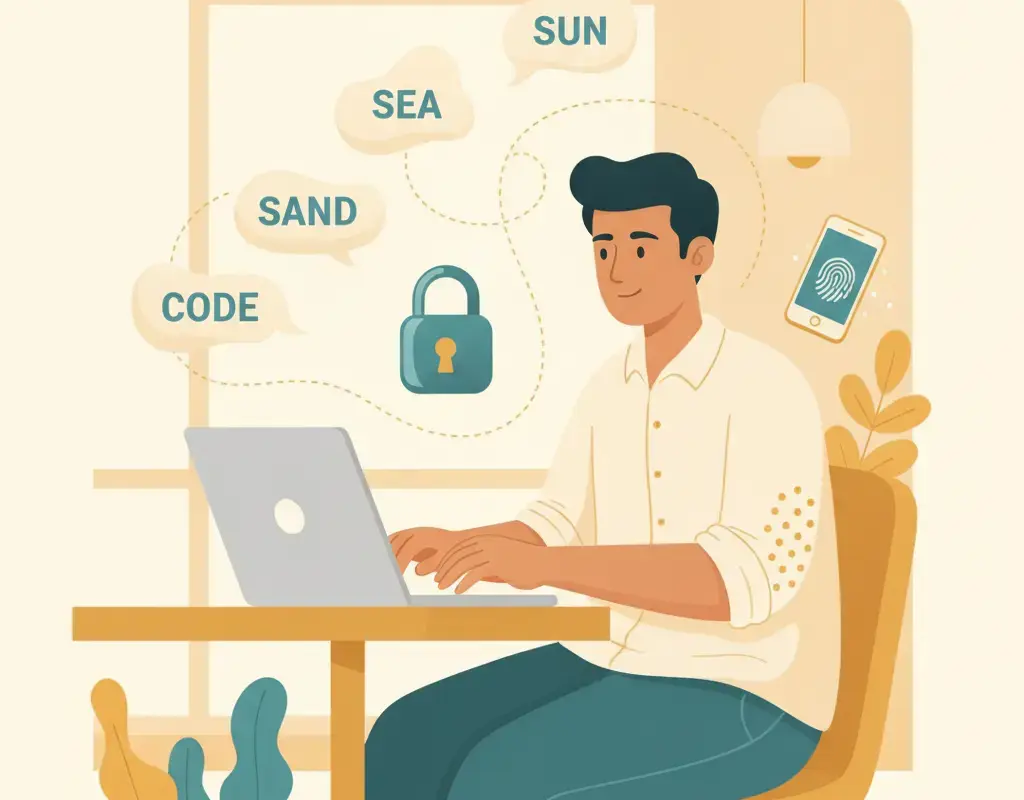
Two-Factor Authentication (2FA), also known as two-step verification, is a security process in which a user provides two different authentication factors to verify their identity. This adds an extra layer of protection to your online accounts, making it much harder for cybercriminals to gain access, even if they have your password.
How does 2FA work? When you log into an account with 2FA enabled, you first enter your username and password as usual. Then, instead of gaining immediate access, you are prompted to provide a second form of verification. This second factor could be one of several types:
- Something you know: This could be a personal identification number (PIN), a password, or answers to secret questions.
- Something you have: This often involves a physical device, such as a smartphone, to receive a one-time code via SMS or an authentication app like Google Authenticator or Authy.
- Something you are: This includes biometric verification methods like fingerprint scans or facial recognition.
For example, after entering your password on a website, you might receive a text message with a unique code that you must enter before access is granted. Alternatively, an authentication app might generate a time-sensitive code that you input. Some services also support biometric 2FA, allowing you to use your fingerprint or face to verify your identity.
| Type | Description |
|---|---|
| Knowledge | Something you know, like a PIN or password |
| Possession | Something you have, like a smartphone or hardware token |
| Inherence | Something you are, like a fingerprint or facial recognition |
Why is 2FA important? In India, cybercrimes are on the rise, with phishing attacks and UPI frauds being particularly prevalent. By enabling 2FA, you add an additional barrier that can deter cybercriminals. Even if they manage to steal your password, they would still need the second factor to access your account. This significantly reduces the risk of unauthorized access and potential financial loss.
For more information on how to protect yourself online, you can visit the official Indian cybercrime reporting portal at cybercrime.gov.in or call the national helpline at 1930. Stay safe and secure by taking advantage of 2FA and other security measures.
Why are 2FA benefits important for Indian users?
How does 2FA protect against phishing and UPI fraud?
Two-Factor Authentication (2FA) is a crucial security measure that adds an extra layer of protection to your online accounts, including those linked to UPI (Unified Payments Interface) transactions. In the context of India, where digital payments and online banking have become increasingly prevalent, 2FA serves as a vital safeguard against phishing and UPI fraud.
Protection Against Phishing: Phishing attacks often involve fraudulent emails, messages, or websites designed to trick you into revealing sensitive information such as usernames and passwords. With 2FA enabled, even if a cybercriminal manages to obtain your password through phishing, they would still need the second factor—usually a one-time password (OTP) sent to your registered mobile number or a biometric verification like a fingerprint—to access your account. This significantly reduces the risk of unauthorized access.
Defense Against UPI Fraud: UPI fraud often occurs when scammers trick users into sharing their UPI PIN or other sensitive details. 2FA adds an additional security layer by requiring an OTP or biometric verification for every transaction. This means that even if a fraudster gains access to your UPI credentials, they cannot complete a transaction without the second factor. For instance, if you receive an unexpected UPI request, the additional authentication step gives you a chance to verify the transaction’s legitimacy before proceeding.
How 2FA Works: 2FA typically involves two of the following categories:
- Something you know: This could be a password or a PIN.
- Something you have: This could be a mobile device to receive OTPs.
- Something you are: This includes biometric factors like fingerprints or facial recognition.
| Method | Pros | Cons |
|---|---|---|
| OTP via SMS | Easy to use, widely supported | Vulnerable to SIM swapping |
| Authenticator App | More secure, works offline | Requires initial setup |
| Biometrics | Highly secure, convenient | May not be available on all devices |
For added security, it is recommended to use an authenticator app or biometric verification when available. Additionally, always keep your contact information updated with your bank and UPI provider to ensure you receive OTPs promptly. For more information on cybersecurity, visit cybercrime.gov.in or call the national helpline at 1930.
Can 2FA be bypassed by cybercriminals?
What are the different types of 2FA methods available?
What are the different types of 2FA methods available?
Two-Factor Authentication (2FA) adds an extra layer of security to your online accounts by requiring a second form of verification in addition to your password. Here are the different types of 2FA methods available:
SMS-Based 2FA
SMS-Based 2FA is one of the most common methods. After entering your password, a one-time password (OTP) is sent to your registered mobile number via SMS. You then enter this OTP to gain access to your account. While convenient, this method is not the most secure as SMS can be intercepted by sophisticated attackers. However, it is still better than not using 2FA at all.
Authenticator Apps
Authenticator apps like Google Authenticator, Microsoft Authenticator, and Authy generate time-based one-time passwords (TOTP) that refresh every 30 seconds. These apps do not require an internet connection or mobile network to generate codes, making them more secure than SMS-based 2FA. To use this method, you need to install the app on your smartphone and scan a QR code provided by the service you want to secure.
Email-Based 2FA
Email-Based 2FA involves receiving a one-time code via email that you must enter after your password. This method is less secure than authenticator apps because email accounts can be compromised. However, it is still a useful backup option if other methods are not available.
Hardware Tokens
Hardware tokens are physical devices that generate a unique code or have a button that sends a signal to authorize a login. These are considered one of the most secure forms of 2FA because they are not susceptible to phishing or hacking. Popular examples include YubiKey and Titan Security Key. The downside is that they require an initial purchase and can be lost or damaged.
Biometric 2FA
Biometric 2FA uses unique physical characteristics such as fingerprints, facial recognition, or iris scans to verify your identity. This method is highly secure and convenient since you always have your biometric data with you. However, it requires compatible hardware and software, and there are concerns about privacy and data security.
Push Notifications
Some services offer 2FA through push notifications. After entering your password, a notification is sent to your smartphone asking if you are trying to log in. You can approve or deny the login attempt with a single tap. This method is user-friendly and secure, but it requires a smartphone and a data connection.
Comparison of 2FA Methods
| Method | Security | Convenience | Cost |
|---|---|---|---|
| SMS-Based | Low | High | Free |
| Authenticator Apps | High | Medium | Free |
| Email-Based | Low | Medium | Free |
| Hardware Tokens | Very High | Low | Paid |
| Biometric | High | High | Free (if compatible device) |
| Push Notifications | High | High | Free |
Choosing the Right 2FA Method
When choosing a 2FA method, consider your security needs and lifestyle. For most people, using an authenticator app or push notifications offers a good balance of security and convenience. If you are concerned about high-security threats, consider using a hardware token. Always enable 2FA on your important accounts, such as email, banking, and social media, to protect yourself from cyber threats.
For more information on cybersecurity and reporting cybercrimes, visit cybercrime.gov.in or call 1930.
How can I enable 2FA on my online accounts?
How can I enable 2FA on my online accounts?
Understanding Two-Factor Authentication (2FA)
Two-Factor Authentication (2FA) adds an extra layer of security to your online accounts by requiring a second form of verification in addition to your password. This significantly reduces the risk of unauthorized access, even if your password is compromised.
Enabling 2FA on Popular Platforms
Most online platforms, including social media, email, and banking services, offer 2FA. Here’s how you can enable it on some common platforms:
Google Accounts
- Go to your Google Account Security page.
- Under “Signing in to Google,” select “2-Step Verification.”
- Click “Get Started” and follow the prompts to set up 2FA.
- You can choose to receive verification codes via SMS, phone call, or use the Google Authenticator app.
- Click on the downward arrow at the top right corner and select “Settings & Privacy,” then “Settings.”
- Go to “Security and Login” and click on “Use two-factor authentication.”
- Choose your preferred method: an authentication app, SMS, or a security key.
- Open WhatsApp and go to “Settings.”
- Tap on “Account” and then “Two-step verification.”
- Select “Enable” and follow the instructions to set a six-digit PIN.
- Optionally, you can add an email address for additional security.
Banking Apps
Most Indian banks offer 2FA for their mobile apps:
- Open your banking app and navigate to the “Settings” or “Profile” section.
- Look for “Security Settings” or “Two-Factor Authentication.”
- Follow the prompts to set up 2FA, which may include SMS codes, email verification, or biometric authentication.
Types of 2FA Methods
| Method | Description | Pros | Cons |
|---|---|---|---|
| SMS | Verification code sent via text message | Easy to use | Less secure, susceptible to SIM swap attacks |
| Authenticator App | Time-based codes generated by apps like Google Authenticator | More secure, works without internet | Requires smartphone, initial setup can be confusing |
| Verification code sent to registered email address | Convenient | Vulnerable if email is compromised | |
| Security Key | Physical device like YubiKey | Highly secure | Requires purchase, can be lost |
Additional Tips
- Backup Codes: Always download and store backup codes in a safe place. These can help you regain access if you lose your phone or authentication device.
- Regular Updates: Periodically review and update your 2FA settings to ensure they are current and secure.
- Educate Family Members: Encourage elders and less tech-savvy family members to enable 2FA on their accounts and assist them in setting it up.
For more information on securing your digital life, visit the Indian Cybercrime Reporting Portal or call the national helpline at 1930.
Frequently asked questions
What is 2FA and why is it important?
2FA, or Two-Factor Authentication, is a security process that requires two forms of verification to access an account, significantly reducing the risk of unauthorized access.
How does 2FA enhance security?
2FA enhances security by adding an extra layer of protection, making it harder for cybercriminals to gain access to your accounts even if they have your password.
Is 2FA necessary if I have a strong password?
Yes, 2FA is still necessary because even strong passwords can be compromised. 2FA provides an additional security measure to protect your accounts.
Can 2FA be used on all my online accounts?
Many online services offer 2FA, including email providers, social media platforms, and banking apps. Check the security settings of your accounts to enable 2FA.
What happens if I lose my 2FA device?
If you lose your 2FA device, most services have backup options such as backup codes or alternative verification methods. It’s important to set these up in advance.
Is 2FA foolproof against all cyber threats?
While 2FA significantly enhances security, no system is completely foolproof. However, it greatly reduces the risk of unauthorized access and is a recommended security practice.
Arjun Rao
Arjun Rao is the founder and Editor-in-Chief of Cyber Kannadigas. A Bengaluru-based journalist and digital-rights advocate, he has spent over a decade writing about technology, governance, and consumer protection for Indian readers. He started Cyber Kannadigas after watching family members and neighbours… Read full profile →
Stay scam-safe: alerts in your inbox
Get new scam alerts, UPI-safety tips, and digital-literacy guides weekly. Free.