How to Spot a Phishing Email or SMS: Real Examples
Phishing messages have become disturbingly convincing, mimicking SBI, HDFC, IRCTC, and even CERT-In itself. Knowing the tell-tale patterns can stop a credential theft before it starts.

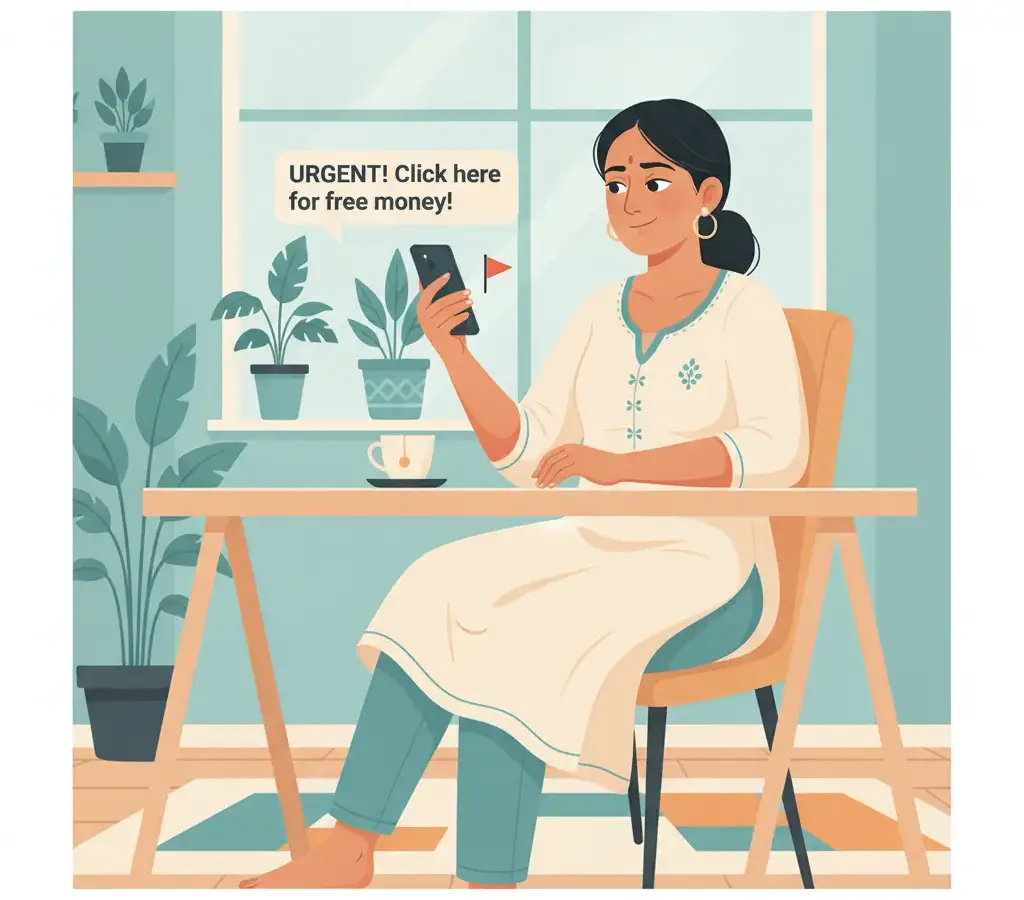
Phishing emails and SMSes typically impersonate trusted brands, create artificial urgency, contain mismatched or shortened links, and ask you to enter credentials or OTPs on a fake page. Check the sender domain carefully, hover over links before clicking, and report suspicious messages to cybercrime.gov.in or call 1930.
Key Takeaways
- Check the sender's actual email domain — display names are trivially spoofed
- Urgency phrases like 'your account will be blocked in 24 hours' are a classic manipulation tactic
- Hover over any link to preview the real destination before clicking
- Report phishing attempts to cybercrime.gov.in or the national helpline 1930
Why Phishing Still Works
Phishing is not a technical attack on your device — it is a psychological attack on you. The goal is to convince you to hand over something valuable: a password, an OTP, a debit card number, or access to your UPI app. According to CERT-In, phishing remains one of the top reported cyber incidents in India every year. Karnataka’s own cybercrime cells regularly publish advisories after waves of SMS scams targeting Kannada-speaking users.
The good news: once you know the patterns, they become easier to spot. Let’s walk through the real ones.
Pattern 1: The Fake Sender Name
Email clients display a friendly From name, but the actual sending address is what matters. A phishing email might show “SBI Customer Care” as the name, while the actual address is something like noreply [at] sbi-secure-alerts.net — nothing to do with onlinesbi.sbi.
SMS phishing (smishing) is trickier because Indian telecom regulations allow SMS headers like VM-SBIBNK to be spoofed by fraudsters using overseas SMS gateways. If an SMS arrives in the same thread as legitimate SBI messages, do not assume it is safe — Android and iOS group by sender header, not by verified identity.
On Gmail, open the three-dot menu on any email and choose Show original. The raw headers show you the true sending server and whether SPF/DKIM authentication passed. A legitimate bank email almost always passes both checks.
Pattern 2: Artificial Urgency
Phrases designed to make you panic and act without thinking are the most reliable phishing signal. Real examples circulating in Karnataka in recent years include:
- “Your KYC is incomplete. Your account will be frozen within 24 hours.”
- “Suspicious login detected. Verify now or your UPI will be blocked.”
- “You have won Rs 25,000 in the BSNL lucky draw. Claim before midnight.”
- “Dear customer, your Aadhaar-linked mobile number has been deactivated.”
None of these reflect how real institutions communicate. RBI’s guidelines prohibit banks from asking for passwords, PINs, or OTPs over any channel. If a message asks you to “enter your PIN to verify”, it is fraudulent, full stop.
Pattern 3: The Mismatched or Shortened Link
This is where many people get caught. The visible link text might read www.hdfcbank.com/login but the actual hyperlink destination is something like hdfcbank-secure.ru/login. On a desktop browser, hovering over any link shows the true URL in the status bar. On mobile, press and hold the link — most browsers show a preview of the destination before you open it.
URL shorteners like bit.ly or tiny.cc are heavily abused in smishing. A legitimate bank or government portal will never send you a shortened link for an account action. NPCI and UPI apps communicate through the app itself, not through external links.
Some phishing pages now use HTTPS with a valid padlock. The padlock only means the connection is encrypted — it says nothing about whether the website itself is legitimate. Always verify the full domain name, not just the padlock.
Pattern 4: Lookalike Domains
Attackers register domains that look almost identical to real ones: hdfcbanck.com, sbi-online.net, irctc-booking.in. Techniques include typosquatting (swapping letters so ‘rn’ looks like ‘m’), subdomain abuse (sbi.com.fake-portal.xyz, where sbi.com is only a subdomain), and Unicode homograph attacks using characters that visually match Latin letters.
The real domains for common Indian services: SBI is onlinesbi.sbi, HDFC is hdfcbank.com, IRCTC is irctc.co.in, and the income-tax portal is incometax.gov.in. Bookmark these and use only bookmarks for financial logins.
Real SMS Examples and Why They Are Fake
Example A: “Dear SBI user, your a/c XXXX8821 will be suspended. Update KYC immediately: bit.ly/sbi-kyc-verify” — Red flags: urgency, shortened URL, real banks never suspend for KYC via an SMS link.
Example B: “INCOME TAX REFUND: Rs 18,490 approved. Enter your bank details at incometax-refund.net to receive funds.” — Red flags: fake domain; refunds go directly to the Aadhaar-linked account and never require re-entering bank details.
Example C: “Your Truecaller profile was viewed 847 times. Download our security update [link]” — Red flags: an irrelevant statistic to provoke curiosity; the link leads to a credential-harvesting page.
What to Do When You Receive a Suspicious Message
First, do not click, do not call any number in the message, and do not forward it. Then report it to the National Cyber Crime Reporting Portal at cybercrime.gov.in; call the helpline 1930 if you have already clicked or entered information; forward phishing emails to report [at] cert-in.org.in; and mark the message as spam/phishing so filters improve for everyone.
If you have already entered credentials, change that password and any shared passwords immediately. If you entered a UPI PIN or OTP, call your bank’s 24-hour helpline at once to freeze the account. Time matters enormously in financial-fraud recovery — report within the golden hour.
Building the Habit
Spotting phishing is a skill, not a personality trait. The single most protective habit is simple: never act on urgency in a message. If the message is genuine, the account will still be there ten minutes later after you log in directly through your bookmarked URL or the official app.
Sources
Vikram Nayak
Vikram Nayak leads cybersecurity coverage at Cyber Kannadigas. He is a certified information-security professional (CompTIA Security+ and CEH) with eight years of experience in security operations and awareness training at IT-services firms in Bengaluru. Vikram translates dense security concepts — phishing kits,… Read full profile →
Frequently Asked Questions
Stay scam-safe: alerts in your inbox
Get new scam alerts, UPI-safety tips, and digital-literacy guides weekly. Free.